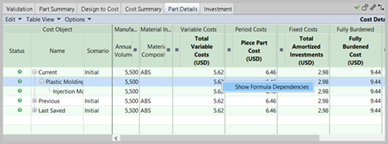
When you right-click a cell in the Part Details or Assembly Details tab, you are presented with a context menu containing the option Show Formula Dependencies.
-
Show formula dependencies:
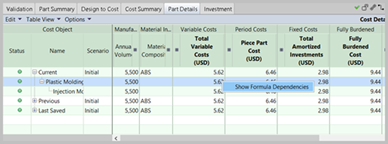
- Clicking this displays a window populated with information regarding the value in the cell. For a simple value like "Batch Size", the display might be relatively sparse, with just a description and a link to the CSL code:

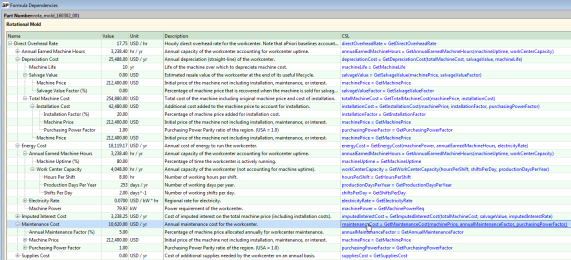
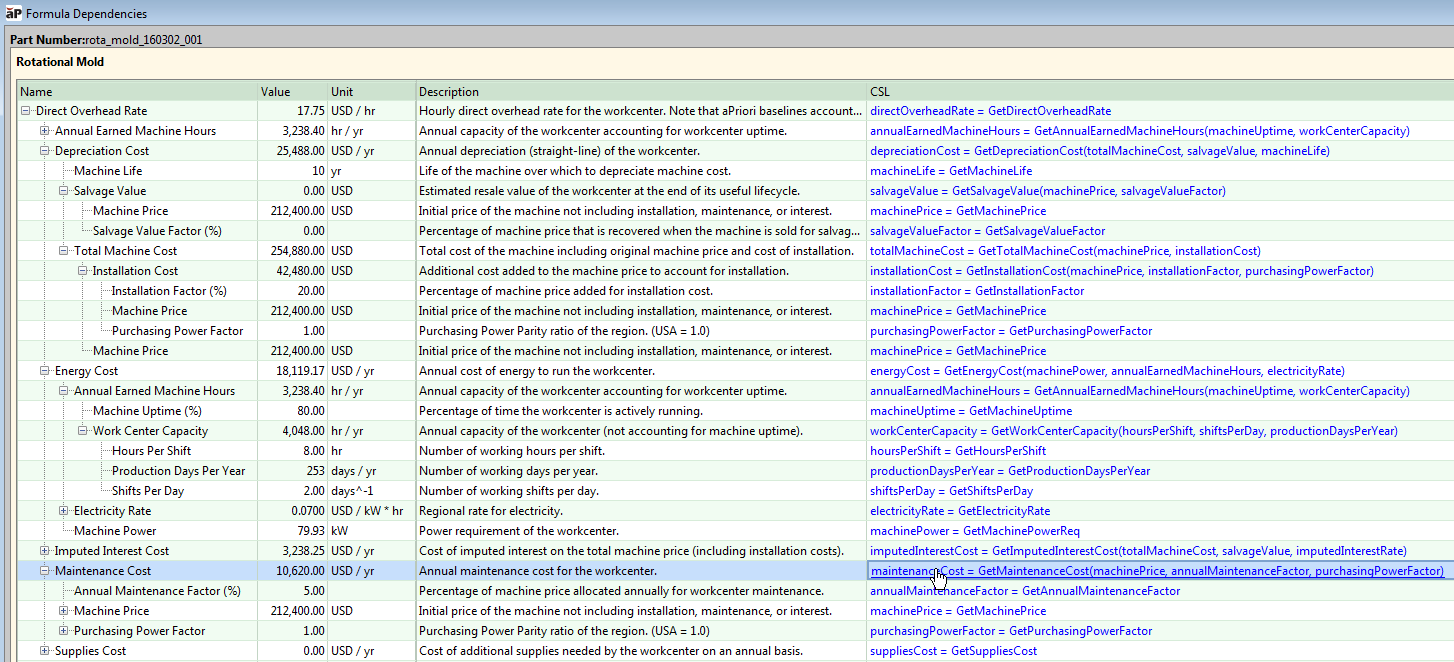
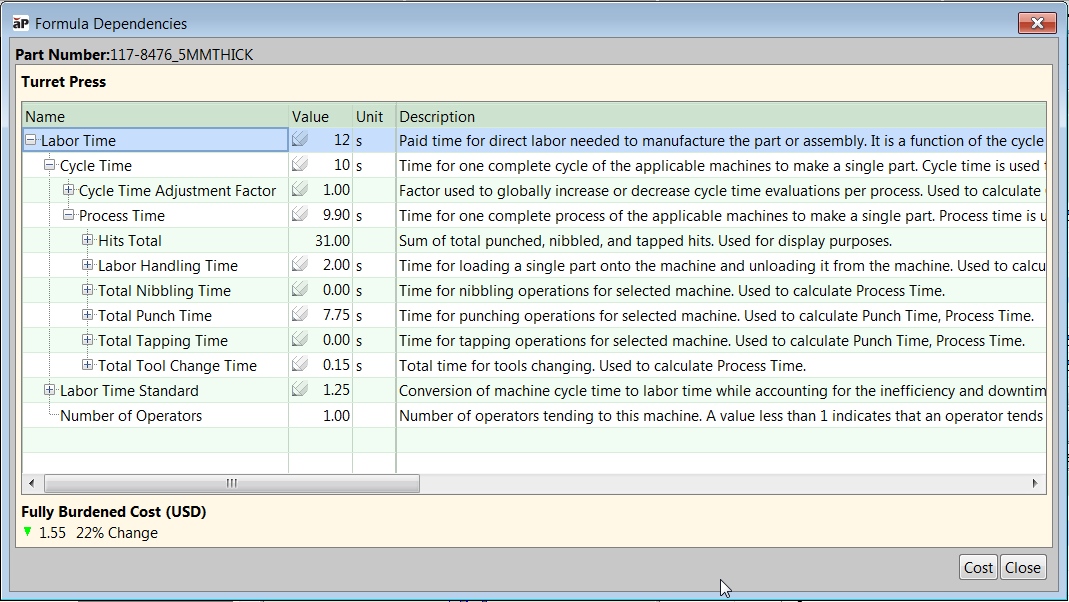
- For a more complex, calculated value like Direct Overhead Rate, the Formula Dependencies window can display a large amount of information in tree format showing not only the current formula, but also which formulas contribute to it.
-
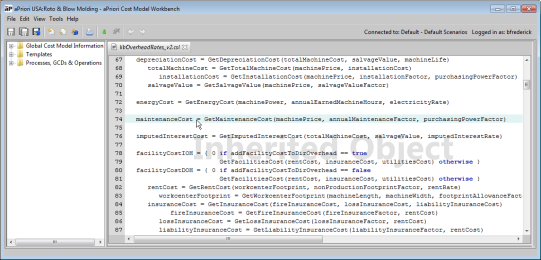
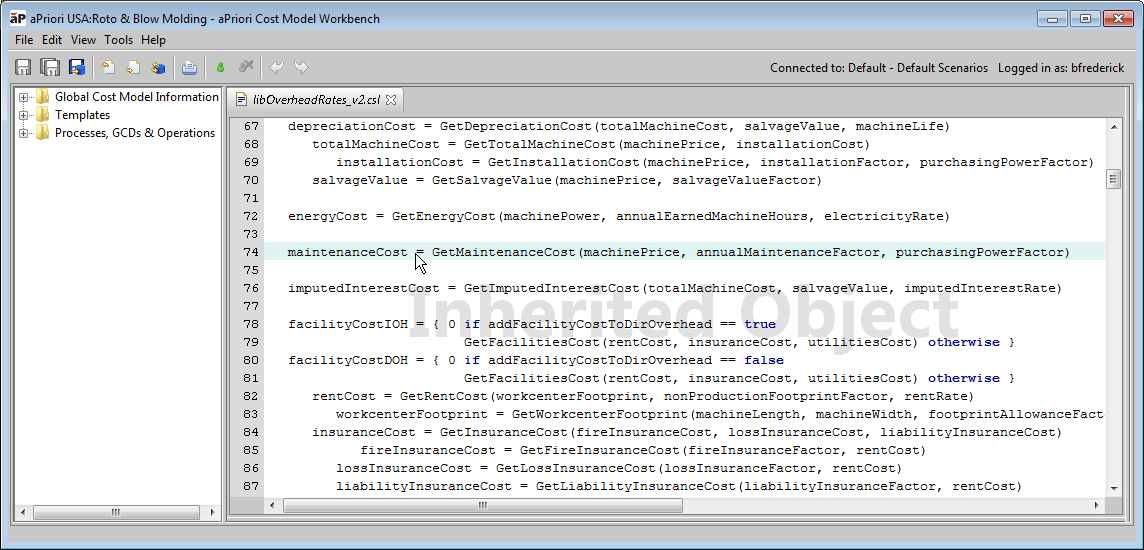
Clicking on a formula under the CSL column opens the Cost Model Workbench on the page where that formula is defined:
-
The behavior of Show Formula Dependencies can change if you change the mode by which overhead rates are calculated. This mode is controlled by the Use Computed Overhead Rate Digital Factory variable. See the section "Digital Factory Variables, Machine Properties, and Overhead Costs" in the Cost Model Guide. When set to True, which is the default, Show Formula Dependencies displays all direct and indirect overhead rates as computed. If set to False, or if you change the Digital Factory to one where this variable is set to False, Show Formula Dependencies displays a value of "0" or any overridden value, even though these formulas are no longer relevant in the costing of the part.
-
When using Show Formula Dependencies, select fields from process level or die-station rows, rather than at the process-group or part-level rows.
-
Process-group and part-level rows simply aggregate the rows below, so for most fields the formula dependencies dialog does not provide additional information about the contributors to those formulas.
-
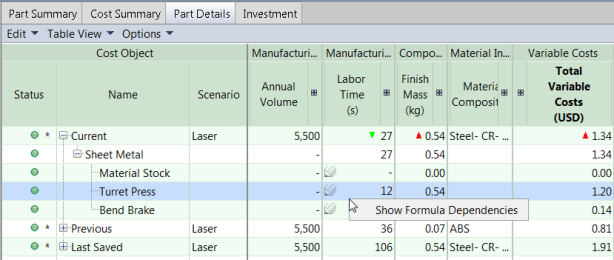
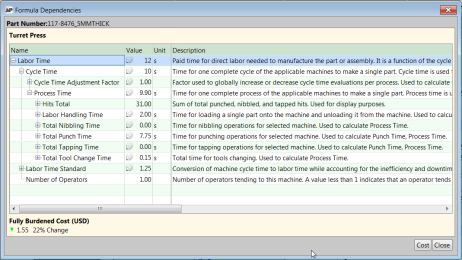
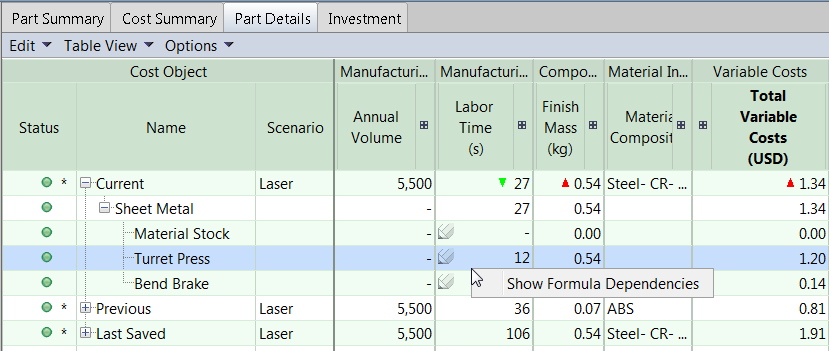
Formula dependencies are available only for a select number of fields at the part level. In the following example, a user should select the Labor Time cell at the Turret Press row, not at the Sheet Metal row, to get drill-down visibility into the Labor Time.
-
The resulting Formula Dependencies for Turret Press Labor Time is shown below:

Show Formula Dependencies feature
-
In any cell in a Details tab, click and select Show Formula Dependencies.
-
If the Formula Dependencies window displays a collapsed tree, expand it to explore what formulas contribute to this one.
-
(Optional): Enter overrides in fields with a pencil icon (
 ).
). -
(Optional): Click any formula to be taken to the Cost Model Workbench (CMWB) definition of the formula.
